Home
About Us
Our Programs
Communication Training IELTS & PTE Katalyze Corporate Our Mentors & Facilitators Careers Contact Us
I want to know more

For any organization, communication of products and services plays a pivotal role. In this era of
digitization, demand can be boosted exponentially by reaching out to prospective customers via online
platforms. A memorable experience on web & mobile application will ensure repeat business.
At Katalyze Finesse, we are a team of professionals with versatile technical experience in providing
solutions on web and mobile platforms. We understand that "One Size Does Not Fit All" and so we provide
customized solutions with fresh technologies that are agile, cost effective, easy to maintain and
resilient.
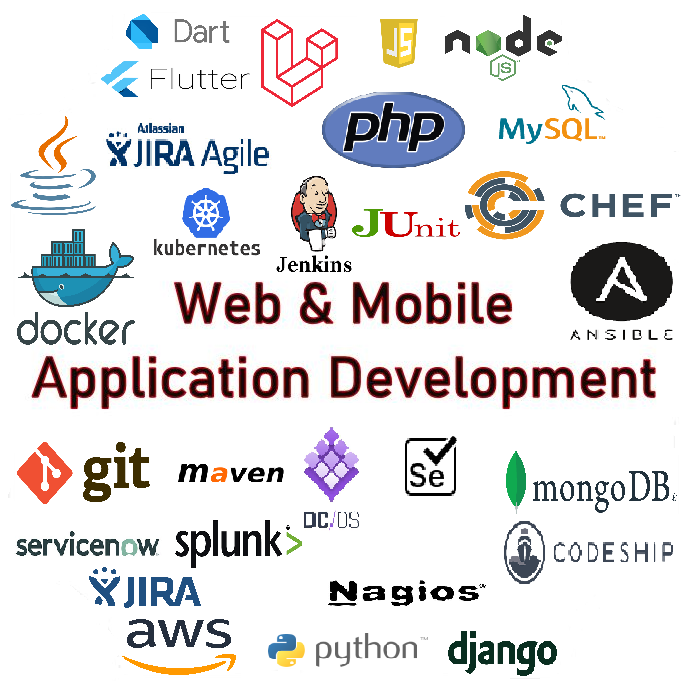
Some of our solutions are based on these technologies:
Our Services
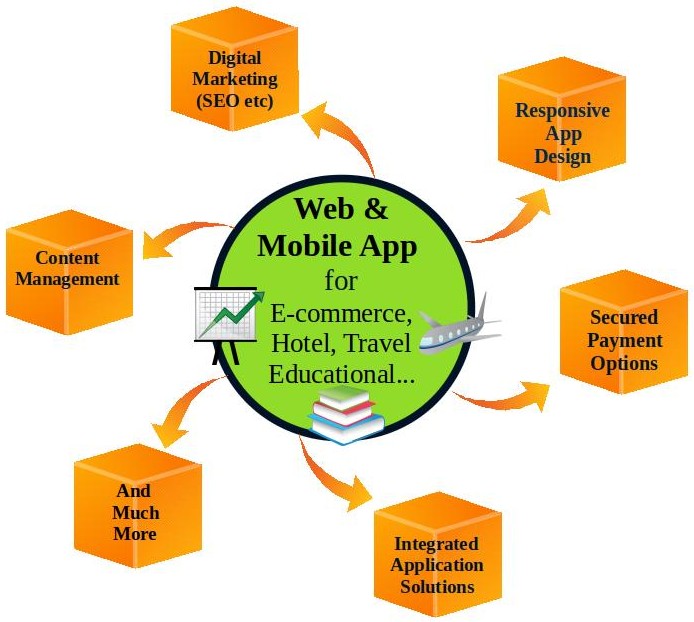
We are a One Stop Shop for your every movement towards Digital Transformation.
Our solutions are tailor made to fit your business requirement.
Consulting Services: We analyze your current system and business process and provide
digitilization guidance.
Development Services: We transform your business requirement into an application based
solution and integrate Fresh Technologies by integrating secure payment gateways with
your legacy systems as needed to build new features and applications that are simple,
responsive and user friendly.
Testing Services: We use manual and automation
scripts to test applications on various platforms to ensure they meet your requirement
and optimally perform at various levels.
Deployment & Maintenance Services: We deploy
and verifying the solutions on various platforms. Fix issues and maintain scripts
for optimal performance of business applications and services.
Content Creation Management Services: We create
specific content for your business and manage them as needed.
Customer Support and Reputation Management: We
monitor social media and respond to customer queries and concerns to help build
positive customer experience.
Digital Marketing Services: We design the
applications and products that align with your digital marketing plans and dealing
with SEO, analytics etc to help you engage and interact with your customers at
the same time steadily creating a new revenue stream.
Why Katalyze ?
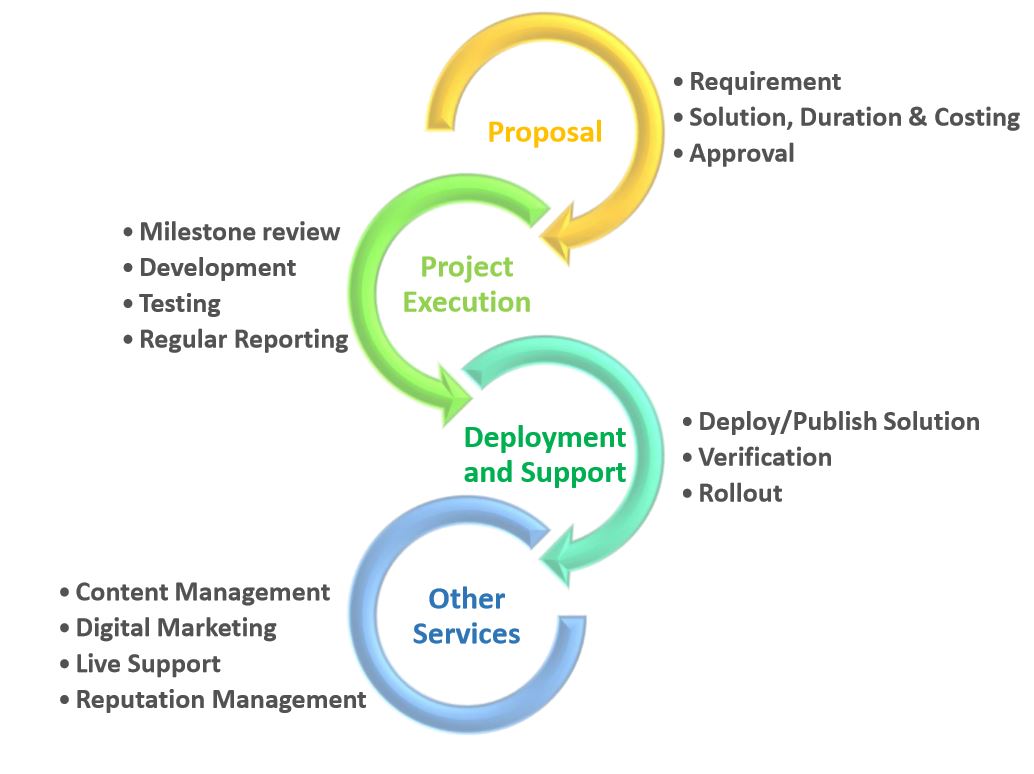
Our Engagement Process
Blogs
Laravel, framework, projects can be deployed along with websites running Node JS, core PHP etc. Laravel project is be placed in a separate subdomain, as shown in this post. Please note, the examples below are common for both shared and dedicated hosting servers.
Create Subdomain
Open Your cPanel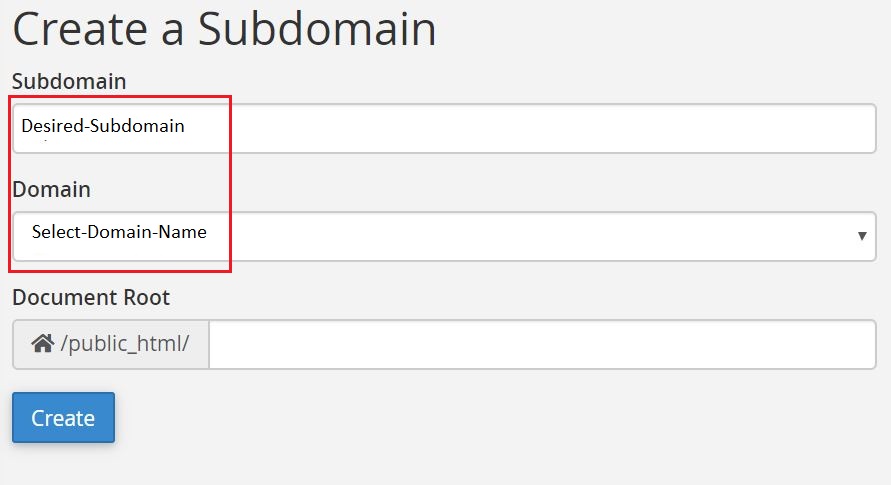
Click on Subdomain icon under DOMAINS Section
Create your desired Subdomain.
Check to see if your Subdomain was created successfully (by scrolling down)

Upload Your Laravel Project
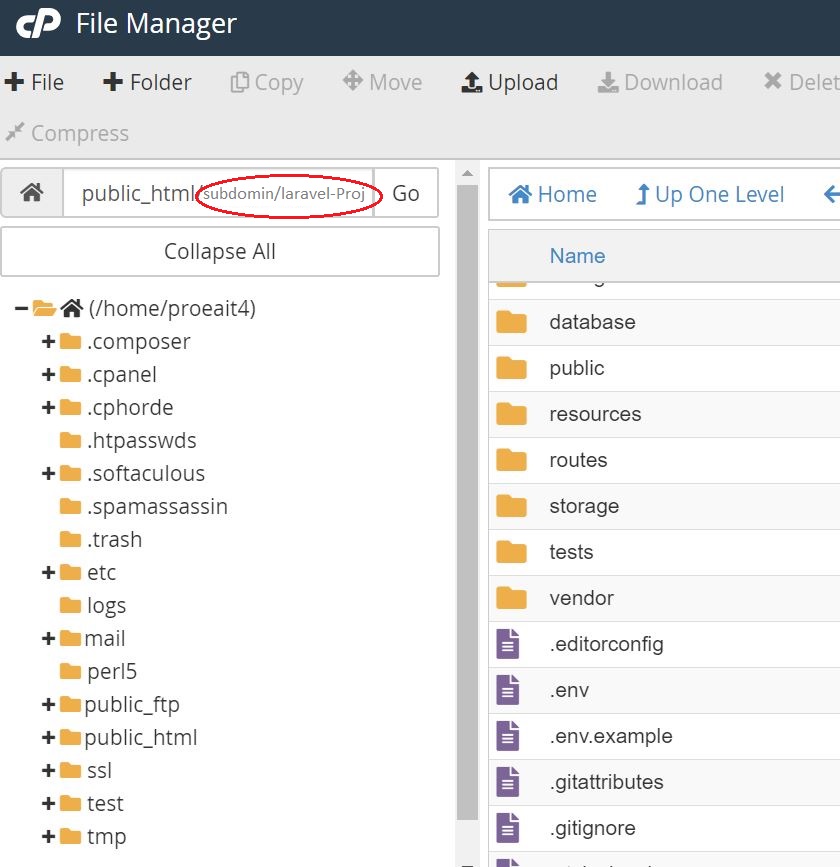
Click on File Manager under Files section in your cPanel dashboard. Check whether your subdomain folder was created under public_html folder.
Go to your subdomain folder and upload Laravel project zip file (This is the Laravel application created by your developer).
Extract your zip file inside the subdomain folder.
Look inside your project folder for .env file, If it’s not there go to your file manager setting and turn on hidden file visibility.
Edit .env File
Right click on .env file for the 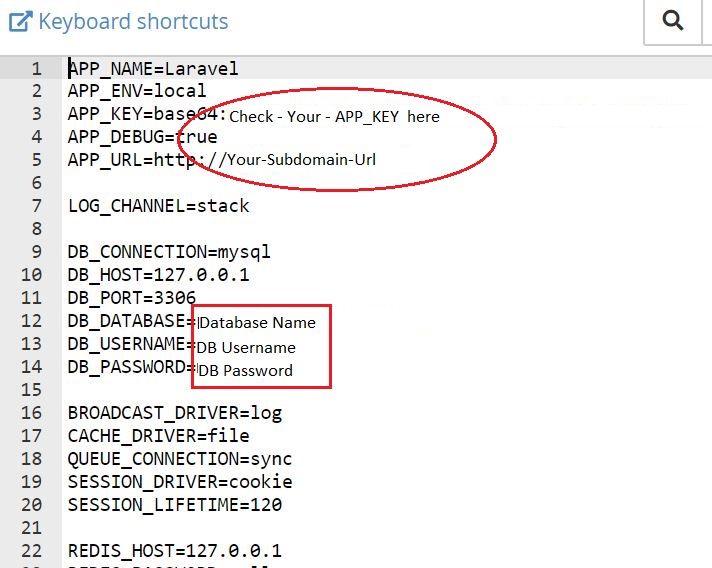 edit option.
Check the following credentials :
APP_KEY ( if it’s blank, You can generate and copy/paste it from cPanel terminal go inside your Laravel project and use the following commands )
php artisan key:generate
php grep APP_KEY .env
APP_URL ( http://your-subdomain-url )
DB_DATABASE ( Name of your database for your Laravel project )
DB_USERNAME, DB_PASSWORD (User name and password for your Database connectivity)
Save & Exit
Update your Subdomain Document Root
Go to Subdomain using cPanel Dashboard.
Update your Document Root path up to the public folder inside your Laravel Project.(as needed)
Now you are Done , Check your subdomain after half an hour
Rectify the Error’s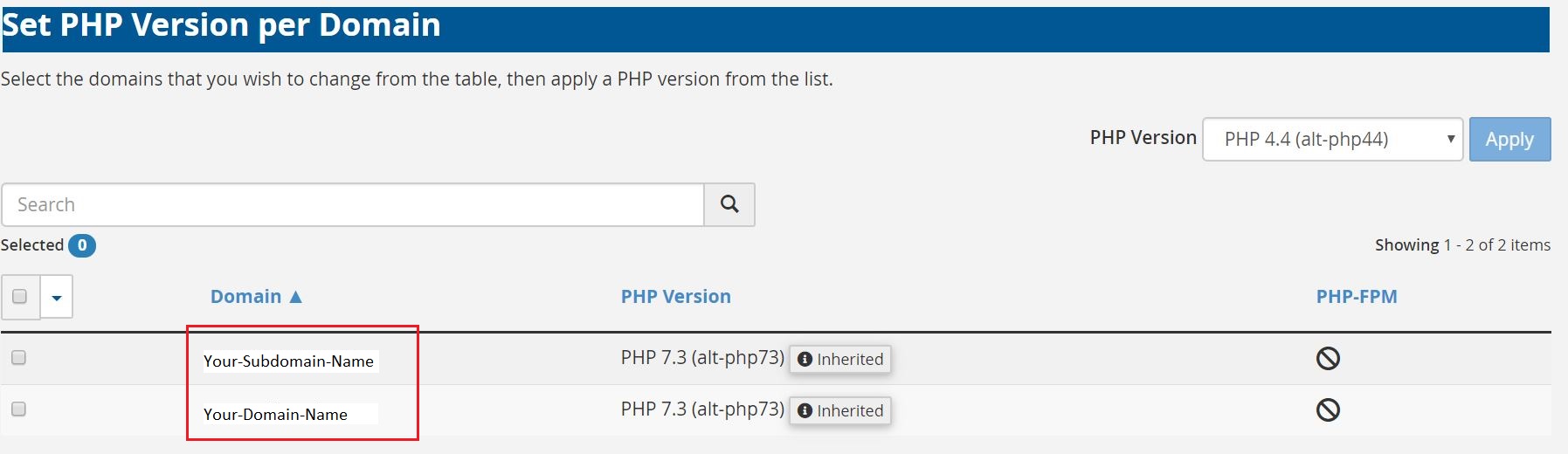
403 error : Ensure all the Directories have permission 755 and files have 644 permission.
500 error : Please check php version for your subdomain using cPanel dashboard -> php manager under SOFTWARE section. The Laravel Project php may not be compatible with the default php version for your domain. Please select the desired version from the PHP Version drop down.
Amit Tripathi
Web & App Consultant
© KATALYZE FINESSE OPC PRIVATE LIMITED (2019) - powered by Katalyze Development Team | Terms of Service | Privacy Policy
